
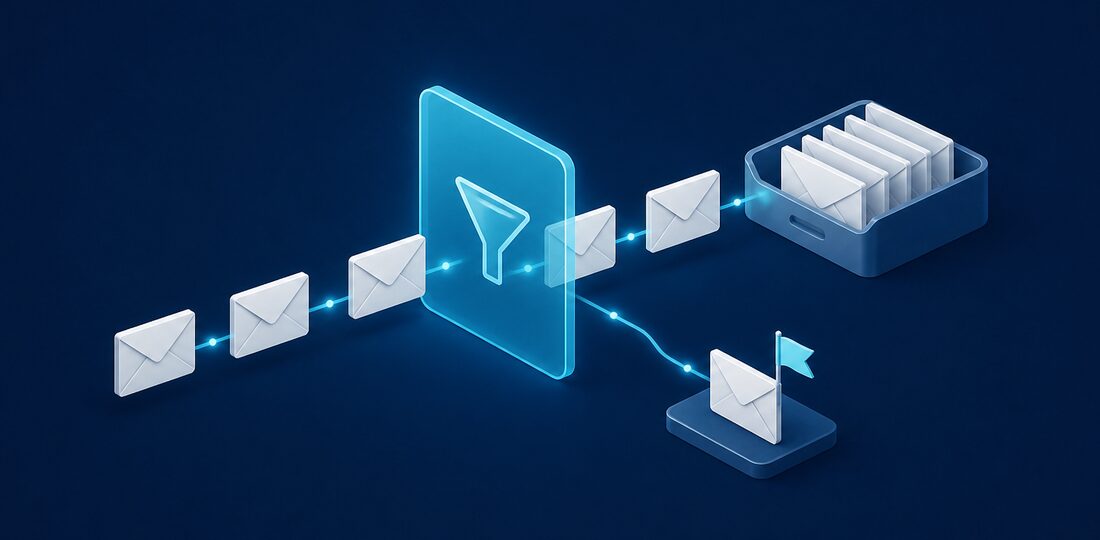
Email remains the primary attack vector for cybercriminals targeting small businesses. Over 90% of cyberattacks begin with a malicious email. Here's how to protect your organization.
Why Email Security Matters
Email is the backbone of business communication. The average employee sends and receives over 120 emails per day, and each one represents a potential entry point for attackers. Your business email is a gateway to everything—financial accounts, customer data, internal systems, and confidential communications. A single compromised email account can lead to:
- Financial fraud — Attackers redirect payments or steal directly from accounts
- Data breaches — Sensitive customer and business information exposed
- Ransomware infections — Malicious attachments encrypt your entire network
- Reputation damage — Your email used to attack customers and partners
- Compliance violations — PCI-DSS, SOC 2, and other regulations mandate email security
Essential Email Security Measures
1. Enable Multi-Factor Authentication (MFA)
MFA is the single most effective security control for email. Even if an attacker obtains a password, they can't access the account without the second factor. Microsoft reports that MFA blocks 99.9% of account compromise attacks.
Enable MFA on all email accounts immediately. Most email platforms (Microsoft 365, Google Workspace) include this feature at no additional cost.
2. Implement Advanced Email Filtering
Basic spam filters aren't enough against modern threats. Advanced email security solutions provide:
- AI-powered phishing detection
- Attachment sandboxing (safely detonating suspicious files)
- Link protection (scanning URLs at click-time)
- Impersonation protection (detecting spoofed executives)
- Outbound filtering (preventing data exfiltration)
3. Train Your Employees
Technology alone isn't enough. Your team needs to recognize threats that slip through filters. Even the best email security platform will let some sophisticated attacks through, and your employees are the last line of defense. Effective security awareness training includes:
- Regular phishing simulations
- Clear reporting procedures for suspicious emails
- Examples of real attacks (sanitized)
- Updates on new threat tactics
We recommend monthly phishing simulations combined with quarterly training sessions. Employees who click on simulated phishing links should receive immediate, constructive feedback rather than punishment. The goal is to build a security-aware culture where employees feel comfortable reporting suspicious messages without fear of embarrassment.
4. Configure Email Authentication
Properly configured email authentication prevents attackers from spoofing your domain. Implement:
- SPF — Specifies which servers can send email for your domain
- DKIM — Cryptographically signs emails to prove authenticity
- DMARC — Tells receiving servers what to do with failed authentication
Without these records properly configured, anyone can send emails that appear to come from your domain. We have seen Bergen County businesses discover that scammers were sending fraudulent invoices using their exact company email address, and their clients had no way to tell the difference. Setting up SPF, DKIM, and DMARC takes a few hours but permanently closes this vulnerability.
5. Establish Email Policies
Create and enforce policies around email use:
- Never send sensitive data via unencrypted email
- Verify payment/wire transfer requests via phone
- Don't open unexpected attachments
- Report suspicious emails immediately
- Use company email only for business purposes
Warning Signs of Email Compromise
Watch for these indicators that an account may be compromised:
- Emails you didn't send appearing in Sent folder
- Email rules you didn't create (often forwarding to external addresses)
- Login notifications from unfamiliar locations
- Contacts receiving spam from your address
- Password reset emails you didn't request
What to Do If You're Compromised
- Change the password immediately from a known-clean device
- Review and remove unauthorized email rules
- Check for unauthorized app permissions
- Notify contacts who may have received malicious emails
- Review sent emails for sensitive data exposure
- Contact your IT provider for full security review
Speed matters when responding to an email compromise. The longer an attacker has access to your account, the more damage they can do. In many cases, attackers set up hidden forwarding rules that send copies of all incoming email to an external address. Even after you change your password, those rules continue forwarding your messages unless you find and remove them.
Business Email Compromise: A Growing Threat in Bergen County
Business email compromise (BEC) is one of the most financially damaging cybercrimes affecting small businesses today. In a BEC attack, a criminal either hacks or impersonates a business email account and then uses it to trick employees, clients, or vendors into transferring money or sharing sensitive information.
Common BEC scenarios we see affecting Bergen County businesses include:
- CEO fraud — An attacker impersonates the business owner or executive and emails the accounting team requesting an urgent wire transfer
- Vendor impersonation — A criminal pretends to be a regular vendor and sends an invoice with updated bank details, redirecting payments to their own account
- Payroll diversion — An attacker posing as an employee emails HR to change direct deposit information
- Attorney impersonation — Scammers pretend to be the company lawyer and request confidential information or urgent payments related to a supposed legal matter
The best defense against BEC is a combination of email authentication technology and clear internal procedures. Always verify payment changes or wire transfer requests by phone using a known phone number, never a number provided in the suspicious email.
Email Security for Regulated Industries
Bergen County is home to thousands of law firms, accounting practices, financial advisors, and other professionals who handle sensitive client data. For these businesses, email security is not just good practice but a legal obligation:
- FTC Safeguards Rule — Accounting firms, tax preparers, and other financial services businesses must protect customer information in transit and maintain records of who accessed it
- PCI-DSS — Businesses processing credit card payments should never transmit cardholder data via unencrypted email
- NJ data privacy laws — New Jersey law requires businesses to implement reasonable security measures to protect personal information and to notify affected individuals promptly in the event of a breach
Email encryption, data loss prevention policies, and proper archiving are essential components of compliance for these industries. If your business handles sensitive data and you are unsure whether your email security meets regulatory requirements, Bergen Computer Solutions can perform a thorough assessment and help you close any gaps before they become costly compliance violations.
Need Help With Your IT?
Bergen Computer Solutions provides expert IT support for businesses and home users throughout Bergen County.
Contact Us Today (201) 669-3107