

With remote work here to stay for Bergen County businesses, secure access to company resources is critical. Employees working from home in Paramus, telecommuting from Ridgewood, or traveling for business all need reliable, secure connections to your company systems. But not every business needs a traditional VPN anymore. Understanding your options helps you choose the right solution for your team and budget.
What a Business VPN Actually Does
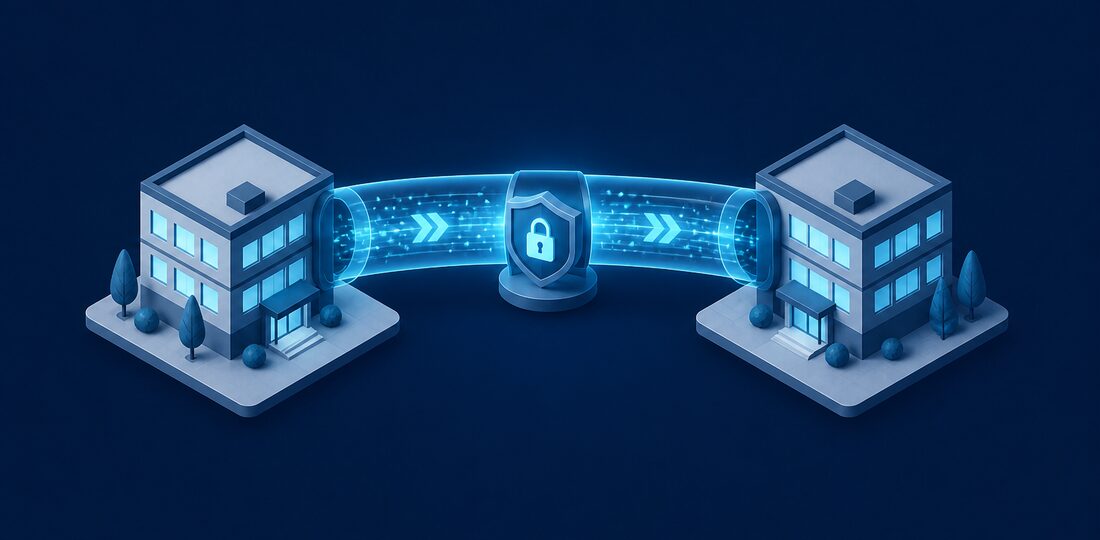
A business VPN (Virtual Private Network) creates an encrypted tunnel between a remote employee's device and your office network. All data traveling through this tunnel is encrypted, preventing anyone from intercepting or reading it, even on public WiFi networks. Once connected through the VPN, the remote employee can access file servers, printers, internal applications, and network resources as if they were physically sitting in the office.
This is fundamentally different from consumer VPN services that advertise privacy and content unblocking. A business VPN is specifically designed to extend your office network securely to remote locations. It requires a VPN gateway device or server at your office, client software on each remote device, and proper configuration to maintain security without sacrificing performance.
How VPN Technology Works
When an employee connects to your business VPN, their device establishes an encrypted connection to the VPN gateway at your office. This connection uses protocols like IPsec, OpenVPN, or WireGuard to encrypt all traffic between the two endpoints. The remote device is assigned an IP address on your office network, making it appear as though it is physically connected. This allows seamless access to shared drives, internal databases, and other network resources that are not exposed to the public internet.
VPN vs Zero Trust
Traditional VPNs operate on a castle-and-moat model. Once a user is authenticated and connected, they have access to your entire network. This approach was effective when most threats came from outside the network, but it creates significant risk if an attacker compromises a VPN credential or if a connected device is already infected with malware.
Modern Zero Trust solutions take a fundamentally different approach. Instead of granting broad network access after a single authentication, Zero Trust architectures verify every individual request. Each time a user tries to access a specific application, file, or resource, the system checks their identity, device health, location, and behavior patterns before granting access. Solutions like Cloudflare Access, Zscaler, and Microsoft Entra Private Access implement this model and are increasingly popular with Bergen County businesses managing hybrid teams.
Which Approach Is Right for Your Business
For small businesses with 5-20 employees and simple network needs, a well-configured VPN is often sufficient and more cost-effective. For larger organizations, businesses in regulated industries, or companies with a fully remote workforce, Zero Trust solutions provide stronger security and more granular access control. Bergen Computer Solutions can evaluate your specific situation and recommend the approach that provides the best balance of security, usability, and cost.
When You Need a VPN
A VPN remains the best solution for Bergen County businesses in several common scenarios:
- Accessing on-premise servers or applications — If you run an on-premise file server, database server, or line-of-business application, remote employees need a VPN to connect. This is common for businesses with large file storage needs, like architecture firms, video production companies, and engineering offices throughout Bergen County.
- Using legacy software that cannot be cloud-hosted — Many industry-specific applications, especially in legal, manufacturing, and construction, were designed to run on local networks. Until these applications are replaced with cloud alternatives, a VPN is the only way to provide remote access.
- Connecting to network printers or scanners remotely — While this is a less common need, some workflows require remote employees to print to office printers or access network-connected scanners. A VPN makes these devices accessible from any location.
- Compliance requirements mandating encrypted connections — Certain regulations, including PCI-DSS for businesses processing credit cards and the FTC Safeguards Rule for financial services firms, require that data in transit be encrypted. A VPN satisfies this requirement for remote access scenarios.
When You Don't Need a VPN
If all your applications are cloud-based, you may not need a VPN at all. Businesses using Microsoft 365 for email and documents, cloud-based accounting software like QuickBooks Online, web-based CRM systems, and other software-as-a-service tools can operate effectively without a VPN. These cloud platforms already encrypt data in transit and provide their own authentication mechanisms.
For cloud-first businesses, the focus should shift from VPN deployment to strong authentication and endpoint security. Enable multi-factor authentication on every cloud application, deploy endpoint detection and response software on all devices, and implement conditional access policies that restrict login from untrusted devices or unusual locations. This approach is often simpler to manage, less expensive, and provides comparable or better security than a traditional VPN for cloud-only environments.
Evaluating Your Application Landscape
To determine whether your business needs a VPN, start by listing every application your team uses and noting whether it is cloud-based or locally hosted. If every application on the list is cloud-based, you are likely a strong candidate for a VPN-free environment. If even one critical application is locally hosted, you will need some form of remote access solution, whether that is a traditional VPN, a remote desktop gateway, or a Zero Trust platform.
VPN Best Practices
If your Bergen County business uses or plans to implement a VPN, following these best practices ensures strong security without creating unnecessary friction for your team:
- Require multi-factor authentication for VPN access — A username and password alone are not sufficient. Require a second factor, such as an authenticator app code or push notification, before granting VPN access. This single step prevents the vast majority of unauthorized access attempts.
- Use split tunneling carefully or not at all — Split tunneling allows some traffic to go through the VPN while other traffic goes directly to the internet. This improves performance but can create security gaps. If you use split tunneling, ensure that all business traffic routes through the VPN while only personal browsing goes direct.
- Monitor VPN logs for suspicious activity — Review VPN connection logs regularly for unusual patterns like connections from unexpected locations, logins at unusual hours, or multiple failed authentication attempts. Automated monitoring tools can flag these anomalies in real time.
- Keep VPN software and firmware updated — VPN gateways and client software are frequent targets for attackers. Apply security patches promptly when they are released, as vulnerabilities in VPN products are actively exploited in the wild.
VPN Performance Optimization
A common complaint about VPN connections is slow performance. Several factors affect VPN speed, including the quality of the employee's home internet connection, the processing power of your VPN gateway device, and the encryption protocol in use. To optimize performance, ensure your VPN gateway has adequate processing power for your user count, choose modern protocols like WireGuard that offer strong encryption with lower overhead, and verify that your office internet connection has sufficient upload bandwidth to handle all concurrent VPN users.
Remote Access Solutions for Bergen County Businesses
Bergen Computer Solutions helps businesses throughout Bergen County implement secure remote access solutions tailored to their specific needs. Whether you need a traditional VPN for accessing on-premise resources, a Zero Trust platform for a cloud-first environment, or a hybrid approach that combines both, our team designs and deploys solutions that keep your data secure without slowing down your team. Contact us for a free consultation to discuss the best remote access strategy for your business.