
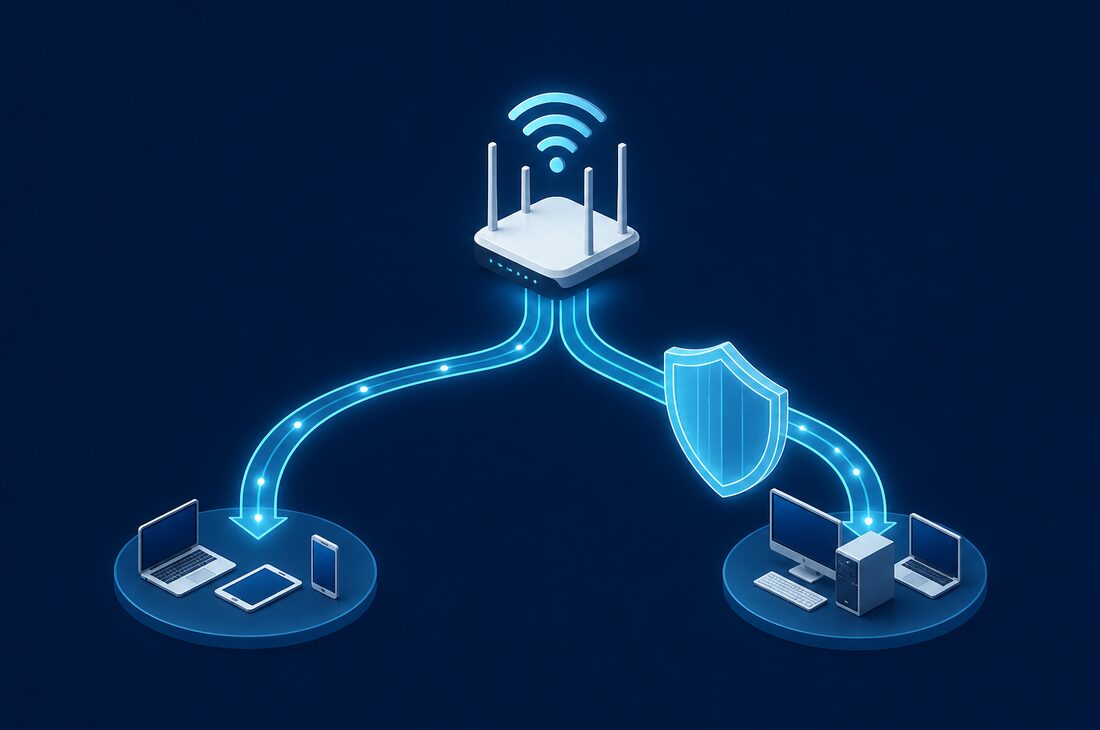

Your WiFi network is often the easiest entry point for hackers. Most small business wireless networks have serious security gaps that are surprisingly easy to fix.
Common WiFi Security Mistakes
In our years of serving Bergen County businesses, we see the same WiFi security mistakes over and over:
Using the Default Admin Password
Every router ships with a default username and password (often "admin/admin" or "admin/password"). Hackers know these defaults. If you haven't changed yours, anyone can access your router settings, redirect your traffic, or lock you out of your own network.
WPA2-Personal for Business
WPA2-Personal (also called WPA2-PSK) uses a single shared password for everyone. When an employee leaves, do you change the WiFi password and update every device? Most businesses don't. WPA2-Enterprise assigns unique credentials to each user, so you can revoke access individually.
No Guest Network
When clients, vendors, or visitors ask for WiFi, do you give them your main network password? They now have access to your entire network—file servers, printers, and all your devices. A separate guest network keeps visitors online without exposing your business systems.
Outdated Firmware
Router manufacturers regularly release firmware updates to patch security vulnerabilities. If you've never updated your router's firmware, you're running software with known security holes that hackers can exploit.
Weak or Reused Passwords
Many businesses set a simple WiFi password when they first open and never change it. Passwords like the business name, street address, or phone number are trivially easy for attackers to guess. Your WiFi password should be at least 12 characters long and include a mix of letters, numbers, and special characters. Change it at least annually and whenever an employee with network access leaves the company.
How Hackers Exploit WiFi
Understanding the threats helps you appreciate why these protections matter:
- Evil twin attacks — A hacker sets up a fake WiFi network with a similar name. When you connect, they can intercept all your traffic.
- Man-in-the-middle attacks — Attackers position themselves between you and the internet, capturing passwords and sensitive data.
- Brute force attacks — Automated tools try thousands of password combinations until they crack your WiFi password.
- Router exploits — Unpatched routers have known vulnerabilities that let attackers take control.
Separate Your Networks
At minimum, every business should have three separate networks:
- Employee network — For company computers and devices that need access to business resources
- Guest network — For visitors, with internet access only, no access to internal systems
- IoT network — For printers, security cameras, smart thermostats, and other devices
This segmentation limits damage if one network is compromised. If a visitor's infected laptop connects to your guest network, it can't spread to your business systems.
Network segmentation is particularly important for Bergen County businesses in retail and finance. PCI-DSS and SOC 2 compliance both require that networks handling sensitive data be isolated from general-purpose networks. A properly segmented WiFi setup helps you meet these requirements while still providing convenient wireless access for everyone who needs it.
Business-Grade Equipment Matters
Consumer routers from Best Buy aren't designed for business security or reliability. They lack features like:
- VLAN support for network segmentation
- WPA2/WPA3-Enterprise authentication
- Detailed logging and monitoring
- Automatic firmware updates
- Centralized management for multiple access points
Business-grade solutions from Ubiquiti, Meraki, or Aruba provide these features along with better performance and reliability. The upfront cost is higher, but the security and stability are worth it.
A common question we hear from Bergen County business owners is whether they really need to replace their consumer router. The answer depends on your business size and security requirements, but in general, any business with more than five employees, any business that handles sensitive client data, or any business that needs reliable WiFi coverage across a larger office should invest in business-grade equipment. Consumer routers were designed for homes, not for the demands of a busy professional environment.
Monitoring Your WiFi Network
Setting up secure WiFi is not a one-time task. Ongoing monitoring is essential to catch unauthorized access attempts and identify potential security issues before they become problems. Effective WiFi monitoring includes:
- Rogue device detection — Identifying unauthorized devices that connect to your network
- Traffic analysis — Watching for unusual data patterns that could indicate a breach or malware activity
- Connection logging — Keeping records of which devices connect, when, and for how long
- Alert notifications — Receiving immediate alerts when something unusual occurs on your network
Managed IT service providers like Bergen Computer Solutions include WiFi monitoring as part of their managed services, giving you continuous visibility into your network security without requiring an in-house IT team.
WiFi Security Checklist
Use this checklist to evaluate your current WiFi security:
- ☐ Using WPA3 or WPA2-Enterprise encryption
- ☐ Changed default admin credentials
- ☐ Separate guest network configured
- ☐ Separate IoT network configured
- ☐ Firmware updated in the last 90 days
- ☐ WPS (WiFi Protected Setup) disabled
- ☐ Remote management disabled or secured
- ☐ Strong, unique WiFi passwords (12+ characters)
- ☐ Business SSID hidden from broadcast (optional)
The Importance of WPA3
WPA3 is the latest WiFi security standard and offers significant improvements over WPA2. If your access points support WPA3, you should enable it. Key benefits include:
- Stronger encryption — WPA3 uses 192-bit encryption compared to WPA2's 128-bit, making brute force attacks far more difficult
- Protection against offline dictionary attacks — WPA3's Simultaneous Authentication of Equals (SAE) protocol prevents attackers from capturing WiFi traffic and trying to crack the password offline
- Forward secrecy — Even if an attacker eventually cracks your password, they cannot decrypt traffic they previously captured
- Better open network security — WPA3 encrypts traffic on open networks individually, which is a major improvement for guest networks
Most business-grade access points manufactured after 2020 support WPA3. If your equipment is older, it may be time for an upgrade that pays for itself in improved security and performance.
Need Help Securing Your WiFi?
We can assess your current WiFi setup and implement proper security measures. Our team has configured secure wireless networks for law firms, accounting offices, retailers, and other Bergen County businesses with specific security and compliance needs. Whether you need a simple guest network setup or a full enterprise wireless deployment with WPA3-Enterprise authentication, we can design and install a solution that fits your business.